Security cameras are deceptively simple on the surface. Mount a lens, run a cable, connect to a recorder, and you should have video. The real story emerges once you compare wired and wireless CCTV systems under pressure: crowded radio environments, long cable runs, lightning-struck poles, cheap PoE switches with overcommitted power budgets, and building layouts that weren’t designed with coverage in mind. That is where interference, latency, and reliability either hold the line or crack.
I have installed, troubleshot, and upgraded systems in homes, small retail shops, auto lots, distribution warehouses, and multi-building campuses. Patterns repeat. Wired generally wins on throughput and consistency. Wireless earns its keep in places where pulling cable is expensive, risky, or outright impossible. The right design picks battles carefully, not just between wired vs wireless CCTV systems, but within each approach: power options, codec choices, access points, antenna patterns, lenses, and how the network video recorder setup handles peak loads.
The real cost of interference
Interference in CCTV doesn’t just show up as visible glitches. Its impact can be subtle: missed motion events because a camera dropped frames for two seconds, a delay that pushes a live view three seconds behind, or a local recording with gaps that you won’t notice until you need the clip.
The physics are unforgiving. Wired Ethernet, particularly Cat6 or Cat6A, gives you a defined link with noise immunity and predictable throughput. Shielded cable where needed, proper terminations, and quality PoE switches keep EMI at bay. Wireless links share spectrum with every phone, access point, Bluetooth device, microwave oven, and sometimes neighboring warehouses with older radio systems.
I’ve seen a busy Fremont retail corridor with 80-plus visible SSIDs saturate 2.4 GHz to the point that consumer-grade wireless cameras became little more than decorations. The shop had five cameras writing 1080p streams at 4 Mbps each. On paper, 20 Mbps is trivial. In practice, retransmissions and contention drove effective throughput down and latency up. The owner swapped to wired PoE runs where possible and dedicated 5 GHz point-to-point for the two remaining spans. The system went from jittery to solid within a day.
A properly installed wired system shrugs off most interference except in specific cases. Long parallel runs adjacent to high-voltage lines, poorly grounded conduit, or low-quality cable can introduce issues. These are rare with professional CCTV installation, and when they do happen, they are fixable with better cable, proper separation, bonding, or fiber runs where copper won’t behave.
Wireless can be robust too, but it takes planning. Directional antennas, clear Fresnel zones, DFS-capable radios with careful channel selection, and lower bitrates that still look good thanks to modern codecs will carry you far. Interference still happens, yet the system is resilient enough to tolerate it.
Latency and why it matters more than you think
Latency is the gap between something happening and you seeing it. That matters for live interventions: a receptionist buzzing a door, a guard talking through a two-way speaker, a staffer watching a loading dock. It also affects how quickly motion-triggered analytics fire.
Wired links typically yield sub-50 ms transport latency on a local network, then you add encoding and any VMS processing. A well-tuned setup can deliver live views with 150 to 300 ms overall delay, which feels responsive. With wireless, transport latency varies more widely. A clean 5 GHz link with excellent signal might add only a few milliseconds. A congested one can add hundreds. Spikes are the bigger problem than the average, because they break motion detection windows and make PTZ control feel sluggish.
Compression settings tip the scales. High GOP lengths reduce bitrate but introduce longer look-ahead and buffer needs. Constant bitrate can play nicer with wireless links if you size it correctly, while variable bitrate gets you better quality during motion but can create peaks that clog a shaky radio. When I set up a small commercial CCTV system design with mixed wired and wireless, I often tune wireless cameras to a slightly lower frame rate, moderate GOP, and constant bitrate. The picture is clean enough for identification, the stream stays predictable, and the radios breathe more easily.
Reliability in real weather and real buildings
Reliability is about what happens on the worst day. Power flickers. Snow piles on an outdoor AP. A cable gets nicked during a remodel. You want a system that fails gracefully and recovers quickly.
Wired PoE shines here. One cable feeds power and data, and a decent PoE switch can budget per port and restart a nonresponsive camera. With surge protection and proper grounding, outdoor runs can ride out storms. For long distances or electrically noisy environments, fiber is a gift. Media converters or PoE extenders make it possible to place cameras hundreds of meters away while isolating lightning and ground potential differences. For parking lots, I favor fiber to a pole box with a small PoE switch feeding cameras at the top. It adds cost, but uptime improves.
Wireless reliability depends on line of sight, antenna alignment, and environmental stability. Trees grow and fill with leaves. New tenants install access points. It’s worth mapping your links, documenting antenna positions, and planning for seasonal changes. If you must depend on a long wireless hop, treat it like a critical piece of infrastructure: use enterprise radios, mount them solidly, keep spares, and monitor signal metrics over time.
Where wireless does win
Not every site can pull cable cleanly. Historic buildings with plaster walls and ornate moldings, rental offices where the landlord forbids drilling, active restaurants that can’t shut down for runs, or large yards where trenching would destroy landscaping all tilt toward wireless. Construction sites and event spaces need temporary deployments that move weekly.
Battery or solar-powered wireless cameras are a separate category. They solve placement problems at the cost of continuous recording and low latency. They sleep to preserve power, wake on motion, and often rely on cloud connections. You use them when the alternative is no coverage at all, not as a replacement for a robust commercial CCTV system design.
In multi-building campuses, point-to-point wireless backhaul works well. Treat each building like a wired island with its own PoE switch and NVR or a remote recorder, then bridge buildings with directional radios. Avoid trying to run many individual cameras over many separate radio links. Aggregate traffic at the edge, then carry it over a monitored, high-throughput bridge.
Bandwidth budgets that don’t lie
A typical 4 MP camera at H.265, 15 fps, and decent compression might run 2 to 6 Mbps. Multiply by camera count. Then add spikes. Motion, complex scenes like trees moving in the wind, and night noise raise bitrates. I plan with 30 to 50 percent headroom. NVRs need the same treatment. A network video recorder setup that barely handles 16 streams during a calm day can stumble when a thunderstorm hits and every camera sees movement and noise. Disks thrash, CPUs spike, and you get dropped frames.
On the wireless side, that headroom is oxygen. Radios might advertise hundreds of Mbps. Real throughput is lower and variable. If your cameras need 50 Mbps sustained, aim for a link that comfortably delivers double that in the channel and regulatory environment you have. If you cannot support that margin, trim bitrates and frame rates, or run fewer cameras on that link.
Cameras, lenses, and the images you actually need
People often obsess over resolution and forget optics. The best cameras for businesses balance sensor quality, low-light performance, and lens choice. A 4K camera with the wrong lens gives you a wide scene where faces are postage stamps. A 4 MP with the right focal length produces usable identification.
Choosing the right lens for CCTV depends on distance, field of view, and the identification requirement. To identify a face, you want roughly 80 to 120 pixels across the face in many standards. That translates to tight framing at entry points. For general overview in a warehouse, a wider lens works, but you should not rely on it for identification at the far end of an aisle. Varifocal lenses make fine tuning easier. In mixed environments, I typically use fixed-lens domes for general coverage and varifocal bullets aimed at chokepoints.
Outdoor vs indoor camera setup choices also affect reliability. Outdoor housings need proper ingress protection ratings, heaters or blowers in colder climates, and mounting hardware that won’t loosen in wind. Indoors, domes resist tampering in public areas, while turrets often deliver cleaner images at night with less IR glare. You can make a wireless camera look good on spec, but without the right lens and placement, the link quality won’t save the footage.
Fremont-specific field notes
For security camera installation Fremont projects, a few patterns keep coming up. Many small businesses operate in multi-tenant buildings with limited riser control. Shared ceilings and crowded conduits make pulling new cable tricky. In those cases, I run wired where structure allows and use short wireless spans for the gaps, often from a back office switch to a camera cluster across a small courtyard. The city’s mix of older buildings and newer buildouts means every site survey matters. 5 GHz noise levels vary by block. If you must use 2.4 GHz for a short indoor hop, keep bitrates low and test during business hours when interference is worst.
Power is stable, but not perfect. I recommend UPS coverage for the NVR and core switches, and small UPS units for remote switches that feed critical cameras like storefront entrances. If the budget allows, a recorder with mirrored storage buys peace of mind after a disk fails, which happens more often than owners expect.
When to hire help and what to demand from them
Professional CCTV installation should earn its fee by designing for reliability, not selling shiny features. Ask for a documented plan: cable types and paths, switch models and PoE budget calculations, camera placements with lens choices and target pixel densities, storage sizing for retention goals, and a bandwidth plan that accounts for peaks. Demand a test day where they measure latency, show you night performance, and trigger motion analytics. Good installers welcome that scrutiny because it proves the design.
If wireless is part of the solution, require a spectrum survey and a channel plan. Ask how they will monitor link health over time. Firmware management matters. Cameras and radios need updates, and unmanaged devices become brittle.
The mixed network that usually wins
Purely wired systems are a joy when the building cooperates. The cables run clean, the PoE switch behaves, and the NVR hums. But the real world serves you obstructions and budgets. The durable pattern is a mixed topology: wire most cameras, especially the ones that matter most for evidence. Use wireless strategically for runs that would cost far more to trench or fish. Keep the wireless links short and directional when possible. Avoid hop chains. Aggregate on wired whenever you can.
On the software side, choose a VMS or recorder that plays well with both local and remote devices. Many IP camera setup guide documents push auto-discovery. That is helpful, but locking IPs, segmenting camera networks with VLANs, and using static routes keeps things stable. A camera VLAN with no internet access reduces risk, and the recorder can be the bridge to the management network. This structure contains broadcast noise, which improves latency and reduces surprises during peak hours.
Storage decisions that reduce headaches
Local NVRs still make sense for most small and mid-sized deployments. They keep footage onsite at full bitrate, they avoid cloud egress costs, and they recover faster after internet outages. Cloud bridges are fine for remote access and offsite clip backups, but treat them as secondary. If you rely on cloud recording over wireless and the link hiccups, you lose critical seconds or minutes.

Size storage for your retention goals based on real bitrates. Take sample clips during day and night, with motion and without, then calculate. If you’re aiming for 30 days for 12 cameras at 4 Mbps each, that is roughly 15.5 TB raw before overhead. H.265 cuts that, but don’t bank on the best case. Give yourself cushion, and choose disks rated for surveillance workloads.
Testing, then testing again
The best systems aren’t just installed, they are exercised. Trigger motion on every camera. Walk test at night and in rain. Use the talk-down speaker while watching live video and clock the delay. Pull power on a PoE switch and verify cameras recover cleanly. Simulate a failed disk on the NVR and confirm alerts work. These tests expose the latencies and reliabilities that matter, and they usually nudge you toward a small tweak: a different channel, a shorter GOP, a better mount, or a slightly tighter lens.
Practical guidance for choosing wired or wireless
When advising a client, I start with their constraints: building fabric, power availability, acceptable downtime, retention requirements, and budget. Then I weigh the trade-offs.
- Choose wired for primary coverage, especially entrances, cash wraps, warehouses, and any area where evidence quality is essential. Use Cat6 or better, home-run to a PoE switch with 25 to 40 percent power headroom. Use wireless for short, line-of-sight spans or temporary coverage where cable isn’t feasible. Favor 5 GHz or 6 GHz where legal, directional antennas, and enterprise radios. Keep per-link throughput well above peak camera demand. Tune streams differently for wireless cameras: slightly lower FPS, consistent bitrates, and moderate GOP to ease latency spikes. Budget storage using measured bitrates, not spec sheets. Add margin for night noise and motion peaks. Monitor everything: NVR health, switch PoE load, camera uptime, and wireless link quality. Alerts beat surprises.
A note on scalability for businesses
As a business grows from eight cameras to forty, the design pressure grows faster than the count suggests. At small scale, a single NVR and one PoE switch suffice. At larger scale, you need multiple switches, proper VLANs, link aggregation or fiber uplinks, and storage arrays sized for retention plus read/write contention during audits. The best cameras for businesses at that point are not just sensors with good pictures, but devices with stable firmware, proper ONVIF compliance, and consistent streams that play nicely with your VMS. Cheap cameras multiply support issues at scale. Pay once for reliability, not three times in truck rolls.
When you cross buildings or parking expanses, step up to fiber for backbones and use wireless sparingly. If you rely on multi-hop wireless to glue the site together, maintenance becomes a full-time job.
A brief IP camera setup guide that avoids traps
IP camera setup wants predictability. Use static IPs in a documented range. Disable unused services on cameras. Set NTP to a reliable local or upstream source so timestamps match across devices. Create unique, strong credentials and https://charliekusd907.theburnward.com/cctv-recording-gaps-how-to-identify-and-fix-storage-and-schedule-misconfigurations do not reuse them across vendors. On the recorder, lock frame rates and bitrates rather than letting auto modes wander. When a camera’s night mode kicks in and bitrate jumps, the system should absorb it without stuttering.
If you’re integrating analytics, test them in the actual scene lighting. Aisles that look fine at noon become noisy at night, and motion rules that worked during install turn into alert storms after hours. Tweak IR strength and exposure to reduce bloom on reflective surfaces.
What homeowners should do differently
Home surveillance system installation comes with its own constraints. A single PoE switch near the router and an NVR with enough storage for two to three weeks is generally plenty. Wired where possible, especially at doors and driveways. If you must go wireless for a garage or a gate, keep it to one hop and dedicate a good AP. Avoid mixing cheap cloud-only cameras with local recording unless you accept gaps and multiple apps. Indoor cameras should be placed where they cover entry paths, not bedrooms, and privacy modes should be easy to toggle. Strong passwords and VLAN segregation matter at home too, even if that means a slightly more advanced router.
Outdoor versus indoor trade-offs you feel later
Outdoor cameras need more than a weather rating. Sun angles change glare, and IR reflections from soffits or eaves can ruin nighttime images. Mount a little lower or use a turret to avoid the acrylic dome glare that plagues some domes in damp climates. Indoors, HVAC vents cause moving shadows that can overwhelm motion rules. Smart placement reduces false positives and the temptation to crank sensitivity so low that you miss the real events.
For wireless outdoors, remember water absorbs 5 GHz energy. Heavy rain degrades marginal links. If your link budget barely works on a clear day, it will fail during a storm. Design with margin, or choose a wired alternative for critical views.
Local expectations and permitting
In many Bay Area municipalities, exterior-facing cameras are straightforward, but ladder work and conduit runs can trigger building rules in multi-tenant properties. For security camera installation Fremont and nearby cities, coordinate with property management early. If you need to cross common areas, get alignment on conduit color and routing before you roll a truck. It avoids do-overs and keeps relations friendly with neighbors who share walls and ceilings.
Why some systems feel fast and others feel like molasses
Two identical camera models can feel different depending on how the network handles packets. QoS settings that favor video traffic on camera VLANs, jumbo frames configured consistently, and avoiding consumer-grade switches in the core all help. On the viewer side, a workstation with hardware decoding can shave visible latency. It also matters how the VMS pulls streams. Direct multicast in a well-designed LAN reduces recorder load and speeds up live views for multiple clients. Over wireless, multicast can be trouble unless your APs handle it well, so many designs stick to unicast for those hops.
Upgrades that buy the most reliability for the dollar
If you’re tuning an existing system, the biggest payoffs usually come from a few changes. Swap the cheapest cameras in key locations for models with better low-light sensors and varifocal lenses. Replace borderline radios with stable, business-class units and mount them properly. Segment camera traffic onto its own VLAN. Move the NVR to SSD for the OS and database, leave spinning disks for video. Add a UPS and set graceful shutdown thresholds. None of this requires tearing the system down, yet each piece reduces surprises and bandwidth fights.
Final perspective
Interference, latency, and reliability are not abstract specs. They decide whether you capture the plate at the gate, whether your guard can talk down a trespasser without awkward delays, and whether your NVR has the clip when the insurance adjuster asks. Wired edges out wireless nearly every time when the path is clear. Wireless earns its place when the alternative is no camera or an unreasonable construction budget.
The strongest systems are honest about these limits. They pick wired by default, use wireless with discipline, choose lenses for the image they truly need, and leave headroom everywhere: in bitrate, in storage, in PoE power, and in link budgets. If you approach your design that way, you’ll stop chasing ghosts in the footage and start getting the video that actually answers the question: what happened, and when?
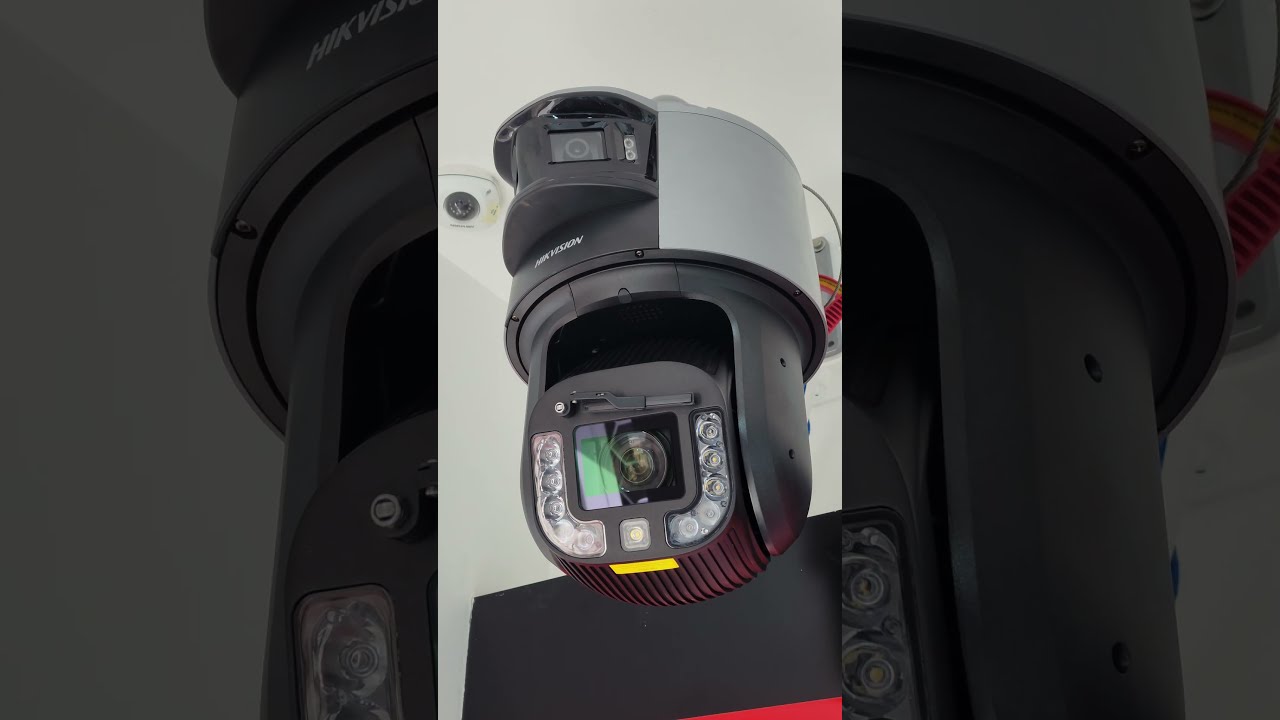
For businesses weighing the next step, involve a professional early. A thoughtful site survey and a measured plan cost less than one weekend lost to a system that reboots, buffers, and misses the moment.